How to create a Shopify store?
A first version of a Shopify store takes about an hour. The admin guides you, and the Sidekick AI assistant answers your questions.
The essentials in 30 seconds
- Create your account
- Get to know the admin
- Add your first products
- Pick a theme
- Set up payments and shipping
- Put your store online
Avoid: Opening the store without testing an order from start to finish.
See the details with screenshots ↓Step by step
Screenshots show the interface used in the original guide (Shopify in French, Leadpages in English). In your account, buttons appear in your language.
- 1
Create your account
On shopify.com, click the button to start for free, enter your email and answer the questions about your project.
- 2
Get to know the admin
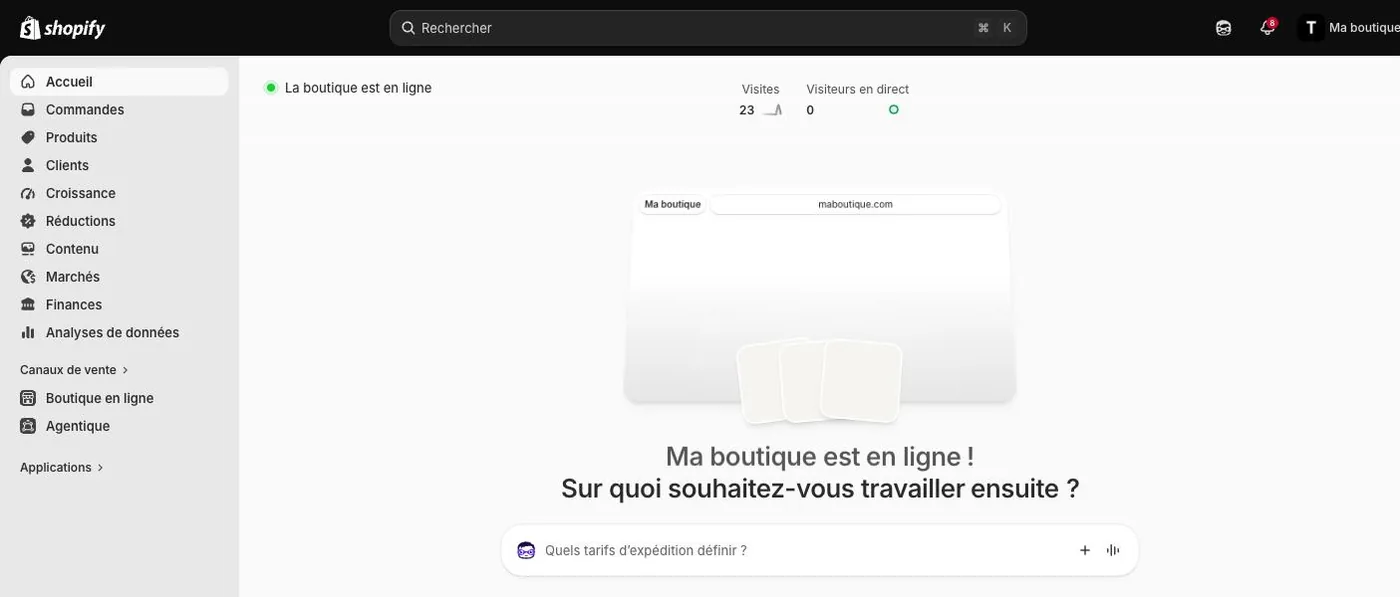
The left menu holds everything: Orders, Products, Customers, Discounts, Online Store and Settings. The home page shows the state of your store and a bar to ask Sidekick for help.
- 3
Add your first products
In « Products », add at least one product with a photo, a description and a price.
- 4
Pick a theme
In « Online Store », choose a theme and customize the colors, the logo and the home page.
- 5
Set up payments and shipping
In « Settings », set up payments, shipping and sales tax for the states where you sell.
- 6
Put your store online
Choose a plan, connect your domain name, then remove the store password to open it to the public.
Try it yourself
Shopify starts free, then has a discounted launch offer. You can set everything up before paying.
Try Shopify ↗Affiliate link: it does not change the price for you.
Common mistakes
- Opening the store without testing an order from start to finish.
- Forgetting the legal pages (terms of sale, refunds, privacy).
Official sources
Get the next guides
New Leadpages, HTML Pub and Shopify guides by email, every two weeks. No spam, unsubscribe in one click.