How to create a landing page with Leadpages AI?
The creation assistant (Piper, the « Page Agent ») builds a page from a simple description. You then fix it by talking to it, like in a chat.
The essentials in 30 seconds
- Open the creation screen
- Describe your page precisely
- Choose the images
- Pick a style
- Let Piper build
- Fix it by chatting
- Check on mobile, then publish
Avoid: Writing a vague description (« a nice page »): you spend credits on corrections.
See the details with screenshots ↓Step by step
Screenshots show the interface used in the original guide (Shopify in French, Leadpages in English). In your account, buttons appear in your language.
- 1
Open the creation screen
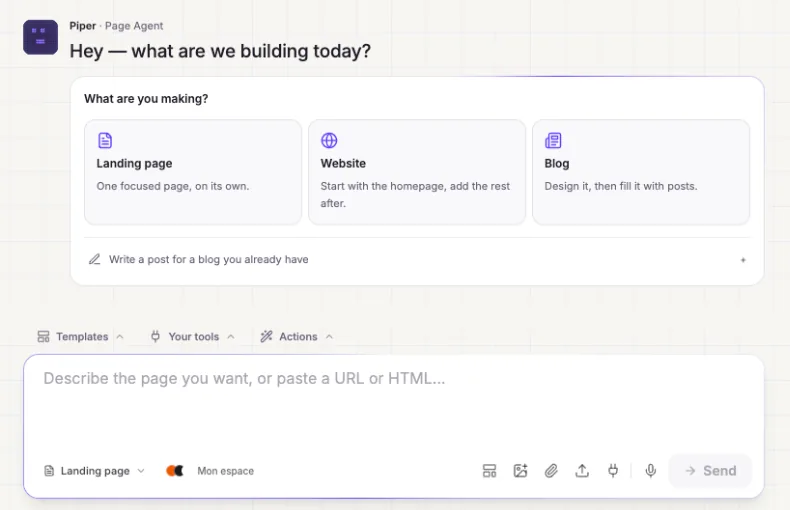
In the left menu, click « Create ». Piper, the assistant, asks « What are you making? »: choose « Landing page ».
- 2
Describe your page precisely
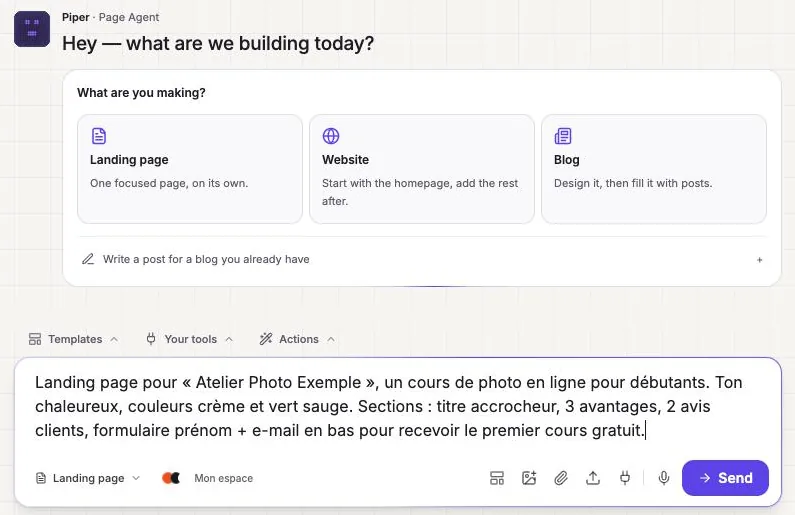
In the bottom field, say who the page is for, what you offer, the tone, the colors and the sections you want (headline, benefits, reviews, form). The more precise you are, the better the result. Click « Send ».
- 3
Choose the images
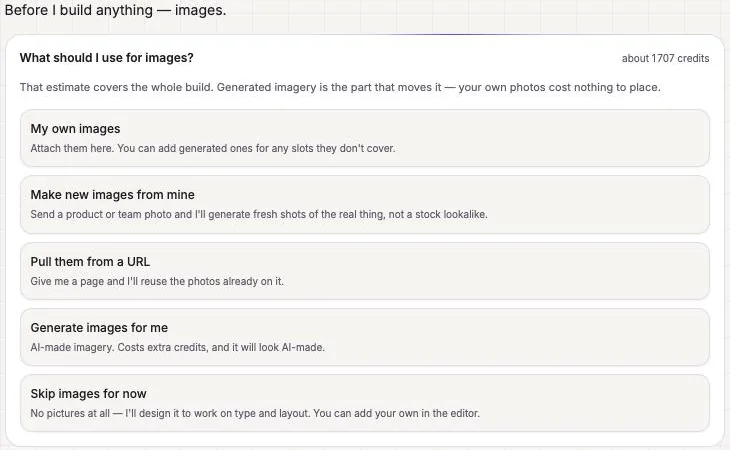
Piper asks what to use for images: your own, AI-generated images (more credits) or none for now. The estimated credit cost is shown at the top right. « Skip images for now » is the cheapest choice.
- 4
Pick a style
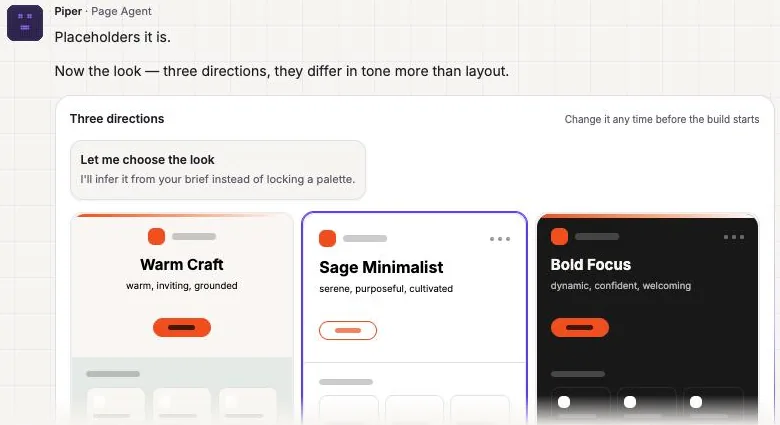
Three visual directions are offered. Click the one you like, adjust « How far should I push it? » if you wish, then click « Build it ».
- 5
Let Piper build
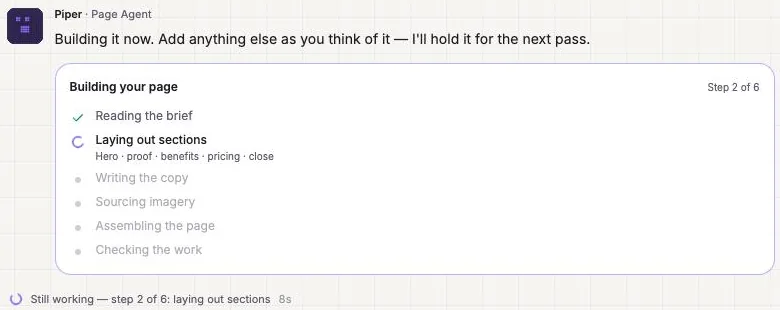
The build runs in six steps, in about a minute: reading the request, sections, copy, images, assembly and checks.
- 6
Fix it by chatting
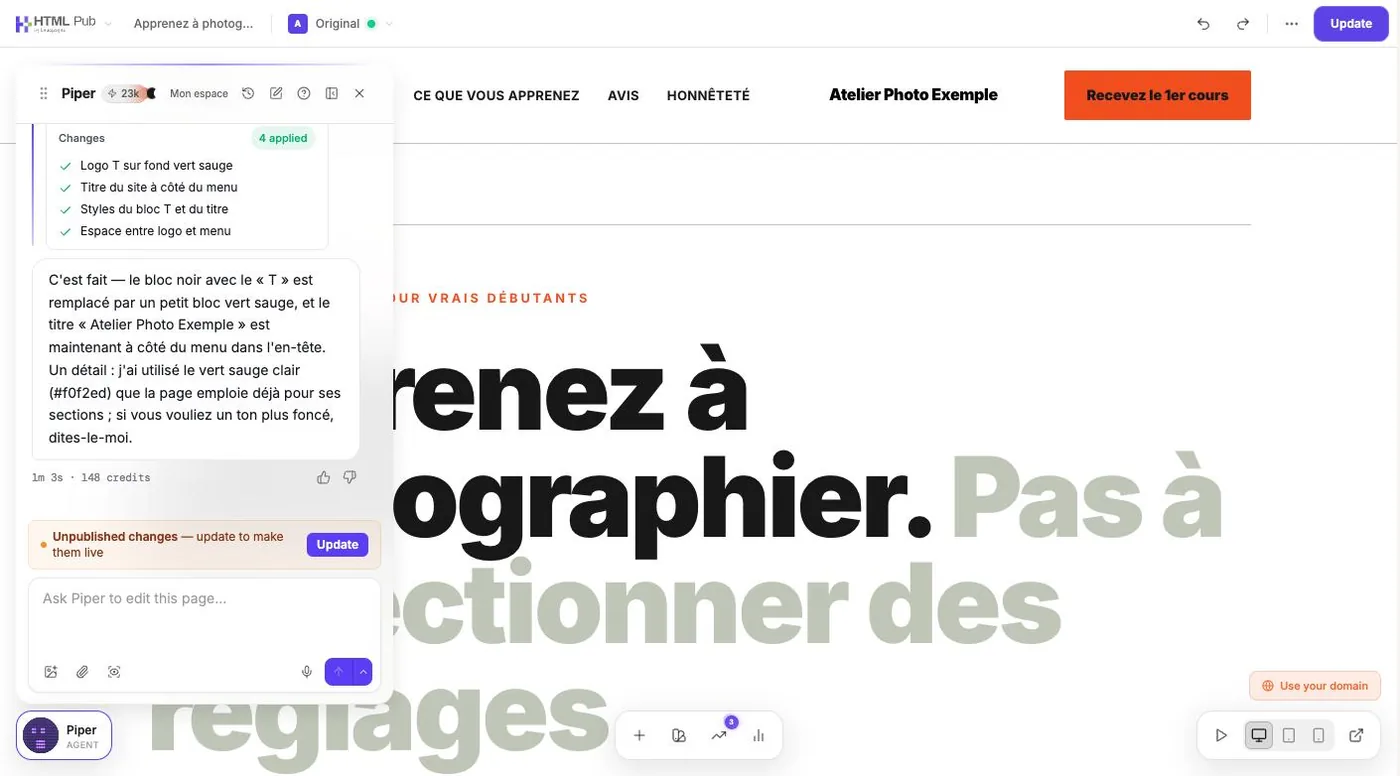
Click « Open in editor ». In the « Ask Piper to edit this page… » field, ask for one change at a time. Piper lists what it changed and how many credits it used.
- 7
Check on mobile, then publish
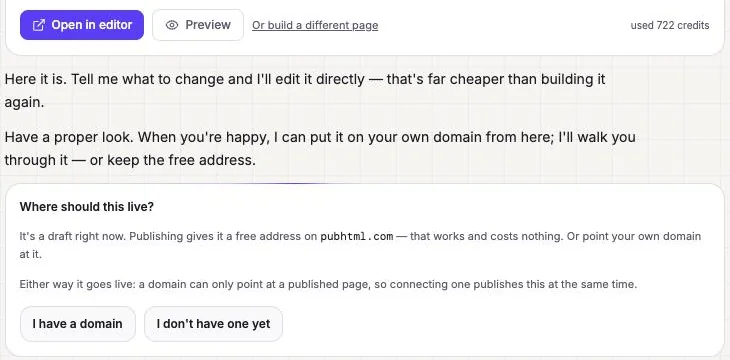
The icons at the bottom right of the editor show the page on desktop, tablet and mobile. To put it online, keep the free pubhtml.com address or connect your domain (« Where should this live? »). After that, « Update » publishes your changes.
Try it yourself
Every HTML Pub and Leadpages plan has a 7-day free trial, with all features.
Try Leadpages for 7 days ↗Affiliate link: it does not change the price for you.
Common mistakes
- Writing a vague description (« a nice page »): you spend credits on corrections.
- Forgetting the form or the call-to-action button: a landing page without a goal is useless.
Official sources
Get the next guides
New Leadpages, HTML Pub and Shopify guides by email, every two weeks. No spam, unsubscribe in one click.