How to connect your domain name to Leadpages?
By default, your pages have an HTML Pub address. With your own domain they look more trustworthy. The security certificate (HTTPS) is free.
The essentials in 30 seconds
- Open « Domains »
- Type your domain
- Choose what it shows
- Let the automatic setup work
- Otherwise, set the DNS by hand
- Wait for activation
Avoid: Forgetting the TXT record: without it, HTTPS does not turn on.
See the details with screenshots ↓Step by step
Screenshots show the interface used in the original guide (Shopify in French, Leadpages in English). In your account, buttons appear in your language.
- 1
Open « Domains »
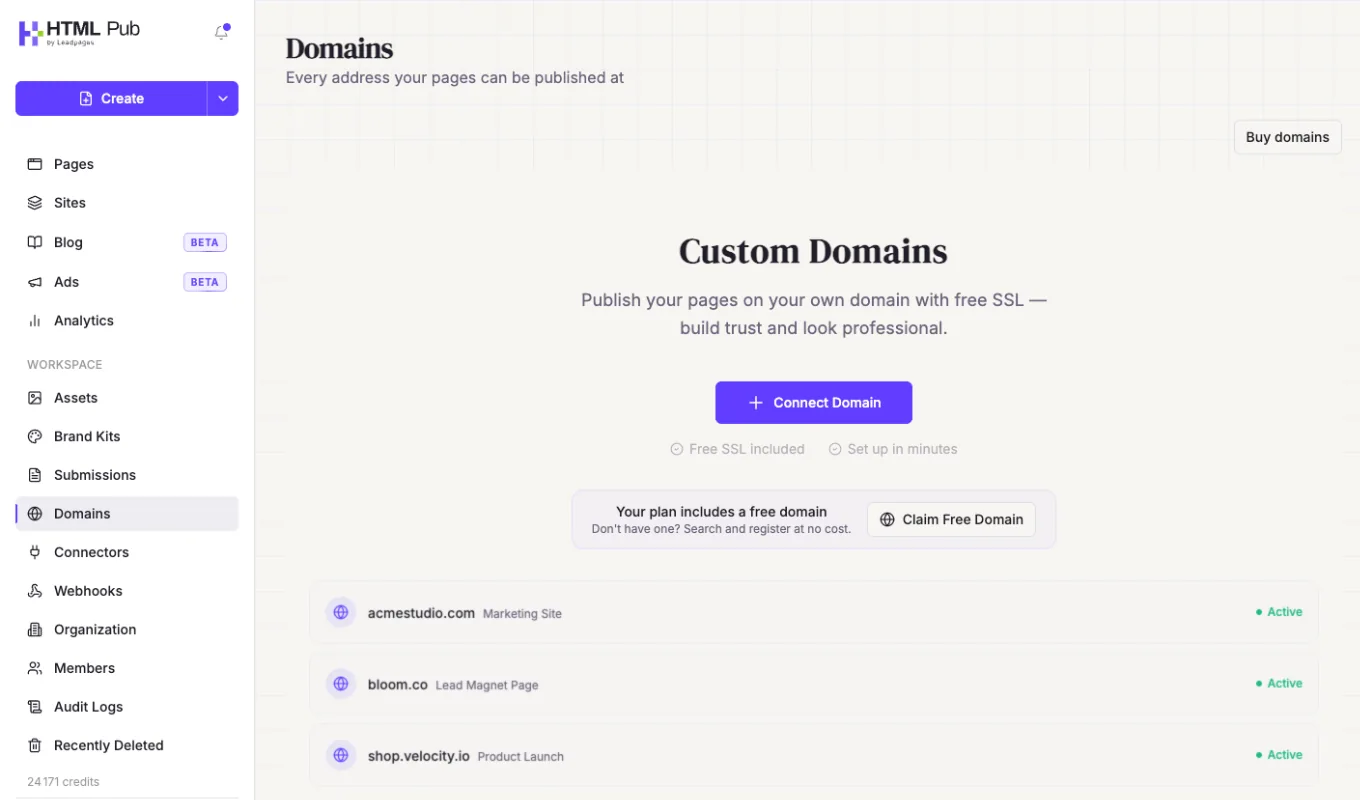
In the left menu, click « Domains », then « Connect Domain ». No domain yet? Depending on your plan, « Claim Free Domain » gives you one.
- 2
Type your domain
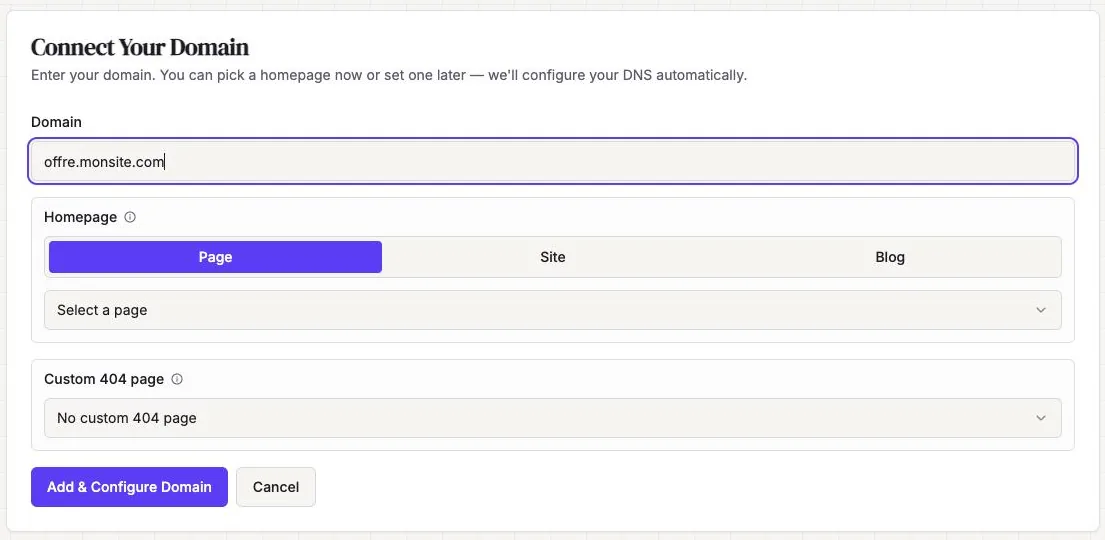
Either the main domain (mysite.com) or a subdomain (www.mysite.com, offer.mysite.com). A subdomain is the simplest.
- 3
Choose what it shows
In « Homepage », choose « Page », « Site » or « Blog », then the item to show. You can also pick an error page (« Custom 404 page »). Click « Add & Configure Domain ».
- 4
Let the automatic setup work
A window (Entri) offers to configure your domain for you. Click « Continue », check the changes, then « Authorize ». The message « is now configured! » confirms it.
- 5
Otherwise, set the DNS by hand
At your domain provider, add the records shown by Leadpages: a CNAME for www (or your subdomain), a TXT for security and, for the main domain, two A records. Copy the values shown in your account.
- 6
Wait for activation
The status goes through several stages until « Active ». HTTPS can take up to 48 hours.
Try it yourself
Every HTML Pub and Leadpages plan has a 7-day free trial, with all features.
Try Leadpages for 7 days ↗Affiliate link: it does not change the price for you.
Common mistakes
- Forgetting the TXT record: without it, HTTPS does not turn on.
- Changing the main domain while another website already uses it: use a subdomain instead.
Official sources
Get the next guides
New Leadpages, HTML Pub and Shopify guides by email, every two weeks. No spam, unsubscribe in one click.